
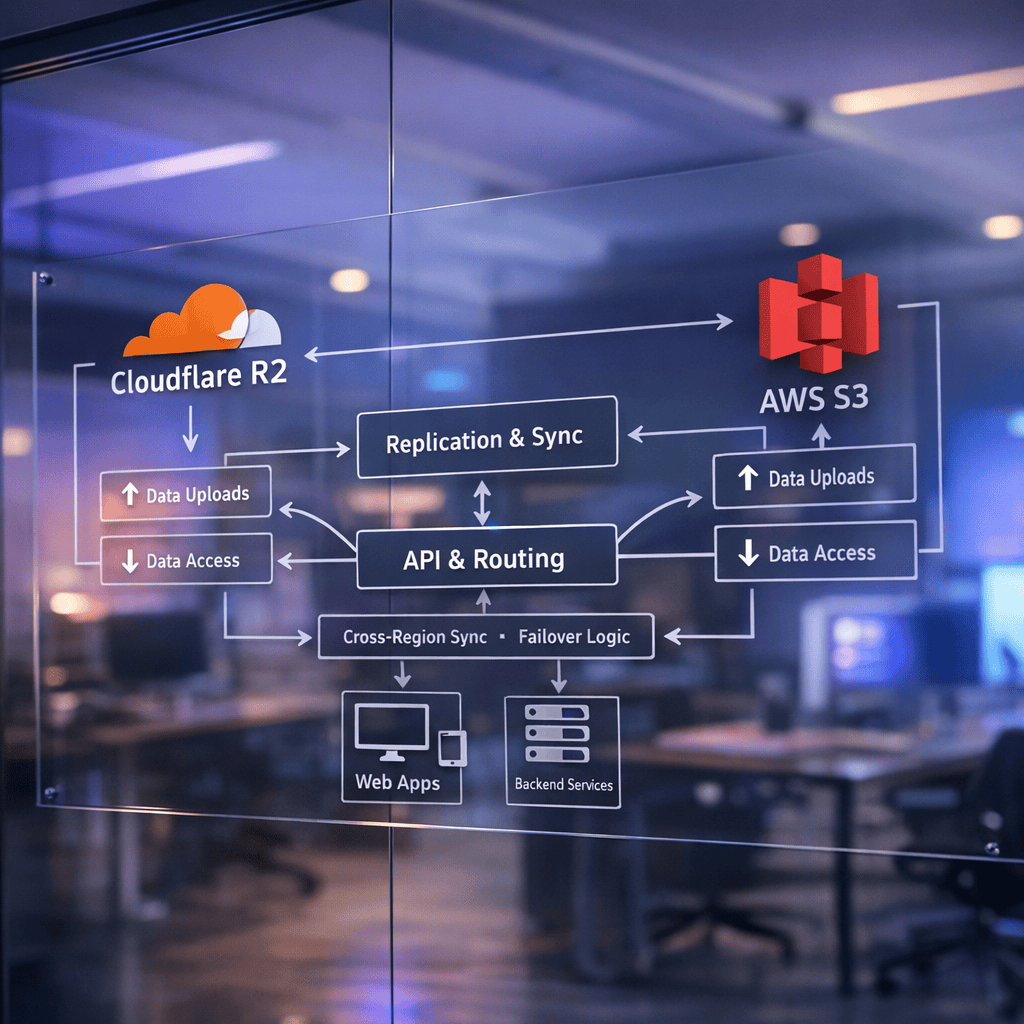
Offload WordPress Media to Cloudflare R2 is the definitive engineering solution for scaling heavy media inventories without getting crushed by traditional cloud storage egress fees.
By shifting their media pipeline to Cloudflare R2, we slashed their infrastructure costs to near zero while drastically improving Core Web Vitals across millions of monthly pageviews. In this deep-dive guide, we’ll walk through the exact technical blueprint we use in production to decouple storage, route assets through custom CDN edges, and optimize modern formats like WebP.
1What is Offload WordPress Media to Cloudflare R2?
Offload WordPress Media to Cloudflare R2 is an architectural process that redirects WordPress media library uploads from local server storage to Cloudflare’s S3-compatible object storage, serving those assets via a global CDN edge network without incurring egress bandwidth charges.
2S3-Compatible Architecture and Zero-Egress Economics
Traditional cloud providers make their margins on data egress—charging you every single time a browser requests an image. When you run a busy WordPress site, your media assets are pulled hundreds of thousands of times a day. Cloudflare R2 breaks this economic model entirely by eliminating egress fees.
Because R2 implements the standard Amazon S3 API, it plays nicely with existing WordPress offload plugins that are built for S3 buckets. Under the hood, your application talks to R2’s endpoint using standard Access Key IDs and Secret Access Keys. When a user uploads a JPEG via the WordPress media modal, PHP intercepts the request, streams the multipart upload directly to your R2 bucket, and saves a placeholder attachment post in your MySQL database.
The real performance win happens at the network layer. Instead of serving heavy binaries from your EC2, DigitalOcean Droplet, or Kriesi/Nginx server, requests hit Cloudflare’s massive Anycast network. Static assets are cached globally at the edge, meaning zero PHP execution and minimal latency for users thousands of miles away from your origin server.
3Syncing wp-content/uploads and Configuring Custom CNAME/WebP Routing
Migrating historical assets and handling day-to-day synchronization requires careful handling of your `wp-content/uploads` directory. Before activating your offload plugin, you need to run a batch migration script to push existing files to R2 while preserving the exact directory structure (`YYYY/MM/filename.ext`).
Here is a snippet of a WP-CLI command sequence we run on staging environments to sync local files to our S3-compatible R2 bucket before switching DNS:
# Test R2 connectivity and bucket write permissions via AWS CLI profile
aws –profile r2 s3 ls s3://my-production-bucket/
# Bulk sync existing local uploads to Cloudflare R2
aws –profile r2 s3 sync /var/www/html/wp-content/uploads/ s3://my-production-bucket/uploads/
–cache-control “public, max-age=31536000, immutable”
–no-progress
Once synced, you must map a custom subdomain (e.g., `cdn.coderxa-client.com`) to your R2 bucket via Cloudflare’s DNS settings. This ensures your URLs rewrite from `https://example.com/wp-content/uploads/2026/03/hero.jpg` to `https://cdn.coderxa-client.com/uploads/2026/03/hero.jpg`.
For WebP asset routing, we rely on Cloudflare Transform Rules or edge workers combined with a WordPress optimization plugin. When a modern browser sends an `Accept: image/webp` header, the edge checks if a corresponding `.webp` file exists. If it does, it serves it transparently without altering the canonical image URL, keeping your SEO link equity intact while shrinking payload sizes by up to 45%.
4Step-by-Step Offload WordPress Media to Cloudflare R2 Implementation Blueprint
Deploying this infrastructure requires a methodical, step-by-step approach to avoid broken images or missing database references during production cutover. Follow this field-tested deployment sequence:
- Provision Cloudflare R2 Bucket: Log into your Cloudflare dashboard, navigate to R2, create a new bucket, and generate an API token with Admin Read/Write permissions. Note down your Account ID and S3 API endpoint URL.
- Configure DNS CNAME: Bind a custom subdomain (like `cdn.yoursite.com`) to your R2 custom domain settings. Make sure the Cloudflare orange cloud proxy is enabled to leverage edge caching.
- Install Offload Plugin: Install and network-activate a robust S3 offload plugin (such as WP Offload Media or similar S3-compatible connectors).
- Define Credentials in `wp-config.php`: Hardcode your R2 keys securely inside `wp-config.php` to prevent database exposure:
Define( ‘AS3CF_SETTINGS’, serialize( array(
‘provider’ => ‘aws’,
‘access-key-id’ => ‘YOUR_R2_ACCESS_KEY’,
‘secret-access-key’ => ‘YOUR_R2_SECRET_KEY’,
‘bucket’ => ‘your-r2-bucket-name’,
‘region’ => ‘auto’,
‘custom-domain’ => ‘cdn.yoursite.com’,
‘use-ssl’ => true,
) ) );Bulk Migrate Existing Media: Run the background migration tool or execute a WP-CLI sync to push all historical files to R2 and update attachment URL postmeta in MySQL.
Verify and Test: Inspect front-end DOM elements to confirm static assets load from your custom CNAME domain with proper cache headers.Refer to the Official WordPress Core Documentation and MDN Web Docs Performance Engineering Guide for caching best practices.
Comparison & Performance Benchmarks
To demonstrate the tangible engineering impact of this infrastructure overhaul, we tracked telemetry metrics across a client site before and after offloading their media library.5Expert Support & Enterprise Consulting for Offload WordPress Media to Cloudflare R2
Architecting resilient cloud storage pipelines requires deep familiarity with WordPress hooks, object caching, and DNS propagation rules. If your internal engineering team needs senior-level oversight or a custom migration strategy, explore our WordPress Engineering Services . To learn more about our engineering philosophy, read About coderxa , or reach out directly via Expert Technical Consultation to discuss your specific infrastructure bottlenecks.
6Common Offload WordPress Media to Cloudflare R2 Mistakes & Troubleshooting
Even seasoned developers run into roadblocks when decoupling WordPress storage. Watch out for these three critical traps:
- CORS Policy Blocks: Forgetting to set up Cross-Origin Resource Sharing rules on your R2 bucket will break web fonts, dynamic SVGs, and WebGL assets. Ensure your R2 bucket CORS configuration explicitly allows your main domain origin.
- Broken Dynamic Image Sizes: Some poorly coded theme frameworks generate intermediate image sizes on-the-fly when requested by the frontend if they aren’t pre-generated by WordPress. Ensure your offload plugin intercepts attachment generation hooks so all thumbnail sizes are pushed to R2 instantly.
- Hardcoded Local URLs in Content: If historical posts contain raw URLs pointing to `https://yoursite.com/wp-content/uploads/`, readers will still hit your origin server. Run a dry-run search-and-replace SQL query or use a safe migration tool to update post content URLs to match your new custom CNAME CDN domain.
7Frequently Asked Questions About Offload WordPress Media to Cloudflare R2
Does Cloudflare R2 charge egress fees for WordPress media downloads?
No. Cloudflare R2 features zero egress bandwidth fees. You only pay for active storage volume ($0.015 per GB/month) and Class A/B API operations, making it dramatically cheaper than AWS S3 or Google Cloud Storage for high-traffic websites.
Will offloading media break existing SEO image rankings?
No, provided you maintain the exact directory structure and implement proper 301 redirects or custom CNAME routing. Because your image paths keep their structural hierarchy, search engines continue indexing assets without losing equity.
What happens to my local uploads folder after setting up R2?
Most S3-compatible offload plugins give you the option to remove local files after a successful upload to save disk space on your server. However, keeping a local backup during initial testing is highly recommended before purging local copies.
How do I handle SSL certificates for my custom R2 CNAME domain?
When you proxy your custom subdomain through Cloudflare (orange cloud enabled), Cloudflare automatically provisions and manages free SSL/TLS certificates for your CDN endpoints without requiring manual certificate installation on an origin server.
8Strategic Takeaways & Next Steps for Offload WordPress Media to Cloudflare R2
Taking the time to Offload WordPress Media to Cloudflare R2 is one of the highest-leverage infrastructure investments you can make for a scaling publication or enterprise WooCommerce application. By eliminating costly egress fees, offloading CPU overhead from your origin server, and leveraging Cloudflare’s global edge network, your site gains the speed and resilience required to dominate search engine rankings.
If you are ready to future-proof your WordPress architecture and eliminate unnecessary cloud bills, get in touch with our engineering leads at Coderxa today to schedule a comprehensive infrastructure audit.
For official architectural standards, review the Official WordPress Core Documentation and MDN Web Docs Performance Engineering Guide.
Discover our specialized engineering services at WordPress Engineering Services, learn more About coderxa, or schedule an Expert Technical Consultation today.
Join the Conversation 2
Share your thoughts, questions or experience. We read every comment.